
Google Cloud Storage Bucket Configuration
This document is for any Umbra client desiring direct data delivery to their Google Cloud Storage bucket. The following instructions show how to configure a bucket via the Google Cloud console browser interface such that Umbra systems have the requisite access to enable data delivery.
Required Readings: https://docs.canopy.umbra.space/update/docs/delivery-configs#/
- In the
Google Cloud Consoleview- Under
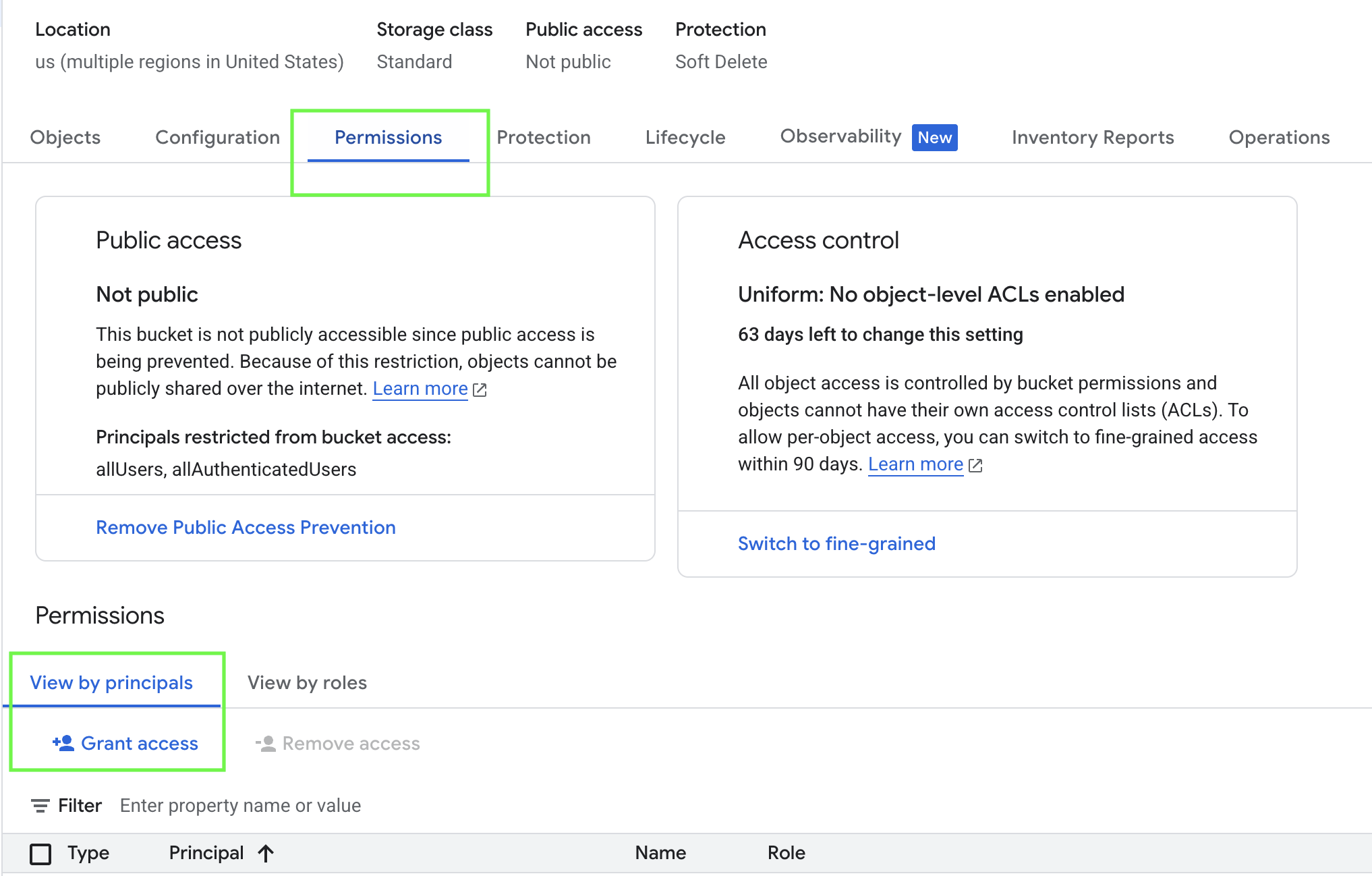
Cloud Storage>Buckets-
Select your bucket in the list view
-
Select the
Permissionstab -
Click
Grant Access -
Add a
Principalfrom theWorkload Identity FederationIAM Providercredentials used when creating the associatedDeliveryConfig- These credentials are accessible under the
IAM & Admin > Workload Identity Federation > Workload Identity Poolsview -
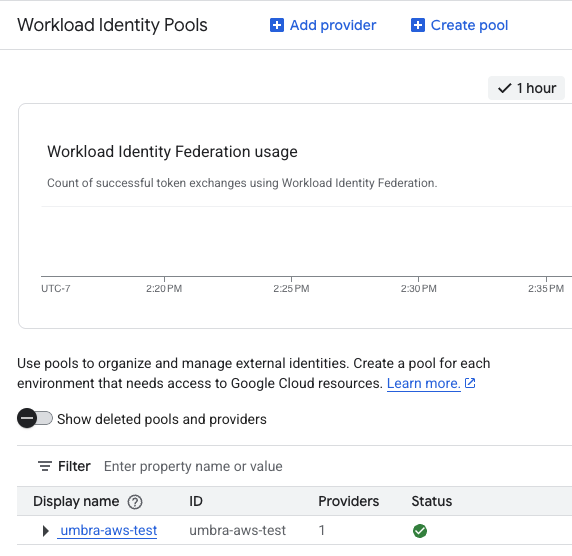
- These credentials are accessible under the
-
This should be something similar to:
principalSet://iam.googleapis.com/projects/<projectNumber>/locations/global/workloadIdentityPools/<workloadPoolName>/* -
The specify
Storage Object Creatorfor the role -
-
- Under
Updated about 1 year ago