---
updatedAt: 2026-08-03T15:06:15.000Z
agentTools:
projectIndex: https://docs.canopy.umbra.space/llms.txt
---
# Order from the Archive Catalog
The Umbra Archive Catalog contains tens of thousands of SAR images collected by Umbra. New images are added daily so check back often!
## How to Order Archive Images
Ordering Archive imagery from Umbra requires an active Canopy account for your organization. Reach out to [help@umbra.space](mailto:help@umbra.space) to request access to Canopy.
The easiest way to order imagery is via the Canopy UI which allows for self-service browsing and ordering at by clicking "Archive Catalog" on the left sidebar in the UI:
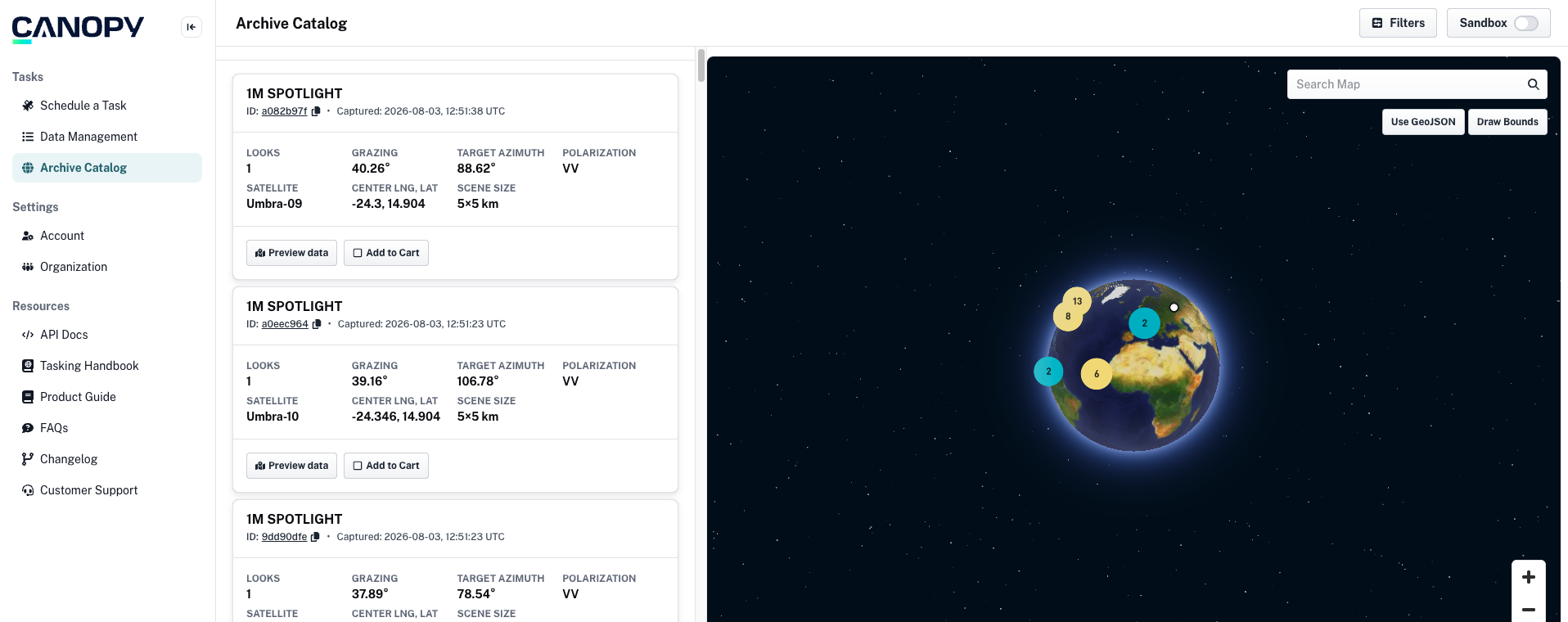
You can browse existing archive imagery similar to how you would view your own tasks and collects, with a variety of filtering options available, such as by date, geometry, or other collect properties like multilook factor, resolution, polarization, etc. Once you have identified collects you would like to order, you can select them by clicking "Add to Cart" and complete your order via a familiar checkout interface similar to that of scheduling a task.
For a step-by-step walkthrough on how to order archive imagery via the UI, see [Self Service Archive Catalog](https://docs.canopy.umbra.space/docs/self-service-archive-catalog).
If you would like to browse the catalog via the API, see [Search the Archive Catalog API](https://docs.canopy.umbra.space/docs/archive-catalog-searching-via-stac-api) for how to find images matching your criteria. The Archive Catalog STAC API supports querying on all of the properties of each image.
## Manual Orders
If you do not have access to the self-service archive ordering via the UI or API, manual orders are also supported.
Once you've identified the Archive Item(s) you'd like to order, please send an email to . In your email you'll need to provide:
* The Collect ID(s) to order. The Collect ID(s) for a given Archive Item can be found on the property `umbra:collect_ids` of each Archive Item in the API search response.
* \[Optional] The [DeliveryConfig](https://docs.canopy.umbra.space/reference/deliveryconfig) ID to send each Collect ID to. You may choose to have different Collects in your order delivered to different DeliveryConfigs. You do not need to specify a DeliveryConfig if you only wish to view your data in Canopy.
* After delivery, your items will be available for download in Canopy, where you can filter by "Archive" Task Type to view only Archival imagery that you have ordered.
[Click here to download a sample CSV template](https://umbra.box.com/v/archive-task-request-csv) you can use to fill out an Archive task request with all the information described above.
Orders received via email will be responded to during normal business hours, M-F 9a-6p Eastern Time, in the order they are received. An Umbra representative will reach out to confirm your order before delivery occurs.